Instant Digital Download

Lifetime Product Guarantee

Year Round Service

Microsoft Certified Partner
Office 2021 Professional Plus 5PC is a single genuine retail key that activates Office Professional Plus 2021 on up to five Windows PCs. It suits a small office, a family with several computers, or anyone who would rather manage one key than five.
Every PC gets the same full suite: Word, Excel, PowerPoint, Outlook, OneNote, Access, Publisher and Teams. The only difference from the single-PC version is the number of activations the key allows.
One timing detail matters before you buy: Microsoft ends support for Office 2021 on October 13, 2026. This page covers what the 5PC key includes, how to activate it on each computer, and when a newer Office version is the better fit.
Office 2021 Professional Plus 5PC: Quick Answer
Here is what this Office 2021 Professional Plus 5PC license gives you:
- Edition: Office Professional Plus 2021 for Windows
- Devices: up to five Windows PCs with one key
- License type: perpetual, one-time purchase
- Activation: online, on each PC separately
- Delivery: by email, usually instantly
- Platform: Windows 10 and Windows 11 (not macOS)
- Support status: security updates end on October 13, 2026
Put simply, it is the same suite as the single-PC key, packaged for households and small teams.
How Does the Office 2021 Professional Plus 5PC Key Work?
A multi-activation key carries an activation count set by Microsoft. Each time you activate Office on a new PC, one activation is used. With the Office 2021 Professional Plus 5PC key, you can activate up to five computers.
Each PC runs its own independent copy of Office. There is no shared account, no central console and no need for the computers to be on the same network.
Keep in mind that reinstalling Windows or replacing hardware can count as a new activation. It is worth keeping a simple record so the fifth activation does not arrive as a surprise:
| PC | User or location | Activation date |
|---|---|---|
| PC 1 | ☐ | ☐ |
| PC 2 | ☐ | ☐ |
| PC 3 | ☐ | ☐ |
| PC 4 | ☐ | ☐ |
| PC 5 | ☐ | ☐ |
If a PC reports that the key has reached its activation limit, phone activation can often resolve it; our guide on how to activate Microsoft Office by phone explains the process.
Is Office 2021 Professional Plus 5PC Still Supported?
Yes, until October 13, 2026. After that, Microsoft stops releasing security fixes and technical support for Office 2021 and its standalone apps, with no Extended Security Updates option.
The software will not stop working. Documents still open, and email still sends. The practical risk is that five unpatched installations create five places where a future vulnerability can matter.
IMPORTANT: For a small business deploying new PCs, the Office 2024 family is supported until October 2029. Microsoft’s Office end-of-support resources page lists the current dates for every version.
The 5PC key remains practical when your existing PCs already run Office 2021, when shared templates or macros were built and tested on this version, or when the computers are scheduled for replacement soon.
Apps Included in Office 2021 Professional Plus 5PC
All five activations include the full Professional Plus set:
| App | Typical small-office use |
|---|---|
| Word 2021 | Proposals, contracts and letters |
| Excel 2021 | Invoices, budgets and reporting |
| PowerPoint 2021 | Client presentations and training |
| Outlook 2021 | Shared calendars and email |
| OneNote | Team notes and meeting records |
| Access 2021 | Customer and inventory databases |
| Publisher 2021 | Flyers, menus and newsletters |
| Microsoft Teams | Chat, calls and online meetings |
Microsoft has announced Publisher’s retirement in October 2026. Publisher 2021 continues to work on each PC, but new layout projects may be better started in another tool.
Office 2021 Features That Help Small Teams
For a group of users, the most useful Office 2021 improvements are the ones that reduce friction between colleagues.
Real-Time Co-Authoring
When files live in OneDrive or SharePoint, several people can edit the same Word, Excel or PowerPoint document at once and see each other’s changes. It is a quieter alternative to emailing “final_v7_really_final.xlsx” around the office.
Modern Excel Formulas
XLOOKUP, XMATCH, LET and dynamic arrays such as FILTER, SORT and UNIQUE are available on every PC. Shared workbooks become easier to read, and formulas behave the same way for every user.
Outlook Translation and Search
Outlook 2021 can translate incoming messages into many languages, which helps teams dealing with international clients. The search box now sits at the top of the window for quicker access.
Consistent Look Across Apps
Office 2021 has a refreshed interface with cleaner icons and full dark mode support in Word. With five PCs on the same version, training and support are simpler because everyone sees the same menus.
Office 2021 does not receive new features after release and does not include Copilot. Microsoft states that feature updates are reserved for Microsoft 365 Apps.
Office 2021 Professional Plus 5PC System Requirements
Each of the five PCs must meet Microsoft’s minimum requirements:
| Component | Minimum per PC |
|---|---|
| Operating system | Windows 11 or Windows 10 |
| Processor | 1.1 GHz or faster, 2 cores |
| Memory | 4 GB RAM (64-bit) |
| Storage | 4 GB free disk space |
| Display | 1280 x 768 resolution |
| Graphics | DirectX 9 or later, WDDM 2.0 or higher |
These are minimums, not a performance promise. In an office where Outlook, Teams and several Excel files stay open all day, 8 GB of RAM is a more comfortable baseline. Mac computers cannot use the Office 2021 Professional Plus 5PC key; Office 2021 Home and Business for Mac is the Mac equivalent.
How to Activate Office 2021 Professional Plus 5PC on Each PC
Repeat these steps on every computer:
- Remove trial or older Office versions and restart.
- Install Office 2021 from the official Microsoft source listed in your order email.
- Open any Office app and go to File → Account → Change Product Key.
- Enter the same 25-character Office 2021 Professional Plus 5PC key.
- Confirm that File → Account shows “Product Activated”.
- Note the PC in your activation record.
Microsoft’s Office 2021 install instructions cover the setup process in detail. Avoid pre-activated installers from unofficial sites, especially when five machines would share the consequences.
For offline PCs, the Bcdkey Get Confirmation ID tool helps complete phone activation.
5PC Key or Separate Single-PC Keys?
Both routes give each PC the same software. The choice depends on how you prefer to manage licenses:
| Consideration | One 5PC key | Five single-PC keys |
|---|---|---|
| Keys to track | One | Five |
| Best fit | Household or small team | PCs owned by different people |
| Transferring one PC to someone else | Less flexible | Easier |
| Setup effort | Same key on every PC | Separate key per PC |
If each computer belongs to a different person or business, separate Office 2021 Professional Plus keys keep ownership clearer.
Who Should Choose Office 2021 Professional Plus 5PC?
Choose this key when you:
- Run two to five Windows PCs in one home or office
- Want Access and Publisher on every machine
- Already standardize on Office 2021 across the team
- Prefer a one-time license to per-user subscriptions
- Plan to replace the PCs within the next year or two
Look at other options when you:
- Need security updates beyond October 2026
- Manage more than five PCs, in which case the Bcdkey B2B wholesale program may suit you better
- Need a volume-licensed build such as Office 2024 Pro Plus LTSC 20PC
FAQ About Office 2021 Professional Plus 5PC
Can I use one Office 2021 key on five computers?
Yes. The Office 2021 Professional Plus 5PC key allows up to five activations, one per Windows PC.
Do all five PCs get the same apps?
Yes. Every activation installs the full Professional Plus suite, including Access and Publisher.
Can I activate the 5PC key on a Mac?
No. This key is for Windows only; Mac users need Office Home and Business for Mac.
What happens if I reinstall Windows on one PC?
Normally, reactivation uses another activation or may need phone activation. Keep a record of each PC so you know how many activations remain.
Will Office 2021 still work after October 13, 2026?
Yes. The apps keep working, but Microsoft no longer provides security updates, fixes or technical support.
Do the five PCs need to be on the same network?
No. Each PC activates independently over the internet, wherever it is located.
Final Thoughts
Office 2021 Professional Plus 5PC is not really about saving on one license. It is about keeping five PCs on one version with one key to manage.
If your team already works on Office 2021 and the October 13, 2026 support date fits your hardware plans, this key is a tidy way to cover several PCs. For new long-term deployments, compare the Office 2024 range, or browse every Office 2021 license on Bcdkey.
| Brand | Microsoft |
|---|---|
| Operating System | Windows |
| Activation Limit | For 5 PC |
| Activation Type | Online |
| Delivery Type | Via Email |
| Delivery Time | Instant |
The product key is valid for 5 PC installs only and it does NOT bind to your Microsoft account. If you require to reinstall or change your system please purchase Office 2021 Pro Plus Bind key.
1. Select the correct version you bought below and download the ISO file. The download process should start after clicking the link. Wait for the download to finish before mounting the file. Downloading can take 10-20 minutes depending on your internet speed.
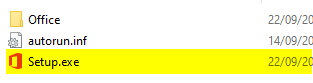
3. On the left side of this same window, you will see that an Office device appears under This Pc. To install, click on the new device/drive, and then on the right side of the window you will see the content. Finally, double-click on the Setup file. This will start the installation process.