Instant Digital Download

Lifetime Product Guarantee

Year Round Service

Microsoft Certified Partner
Office 2019 Professional Plus 5PC Key for Up to Five Windows PCs
This listing is a Microsoft Office 2019 Professional Plus 5PC license: one 25-character product key that activates Office Professional Plus 2019 on up to five Windows PCs. After payment, you receive the key and a download link by email, install Office on each computer, and activate it online inside the Office apps.
It suits small offices, home offices and families who want every computer on the same Office version without buying and tracking five separate keys.
Office 2019 is a one-time purchase. It is not a Microsoft 365 subscription, so there is no renewal fee and no cloud storage included.
| What you get | Details |
|---|---|
| Product | Microsoft Office Professional Plus 2019 |
| Devices | Up to 5 Windows PCs with one key |
| Activation | Online, inside the Office app on each PC |
| Delivery | Product key and download link by email |
| License type | One-time purchase, not a subscription |
| Platform | Windows 10 and Windows 11 only |
| Microsoft support | Ended October 14, 2025 |
How the Office 2019 Professional Plus 5PC License Works
Office is licensed per device. A normal key covers one PC, while the Office 2019 Professional Plus 5PC key includes five activations under a single key.
Each time you activate Office on a new computer, one of the five activations is used. Five PCs means five activations, and the key is then fully used.
A few details are worth knowing before you start:
- One installation per PC: each computer gets its own copy of Office Professional Plus 2019.
- No Microsoft account needed: the key activates online directly in the Office apps.
- Reinstalls can use an activation: reinstalling Windows on a PC may consume another activation, so plan installs carefully.
- Same apps everywhere: every PC gets Word, Excel, PowerPoint, Outlook, OneNote, Access, Publisher and Skype for Business.
Office 2019 Professional Plus 5PC vs Five Single Keys
Both routes put Office Professional Plus 2019 on five computers. The difference is administration:
| Option | Keys to manage | Best for |
|---|---|---|
| Office 2019 Professional Plus 5PC (this product) | One key for all five PCs | Small offices and families who install everything at once |
| Five single online keys | One key per PC | Teams that buy computers at different times and want each license tracked separately |
If you need more than five PCs, the Bcdkey B2B Wholesale Program is set up for larger business orders.
Office 2019 vs Office 2016: What Changed?
Office 2019 and Office 2016 look similar at first glance, but they differ in three practical ways:
| Area | Office 2016 | Office 2019 |
|---|---|---|
| Supported Windows versions | Windows 7 SP1 and later | Windows 10 and Windows 11 only |
| Installation technology | MSI or Click-to-Run | Click-to-Run only |
| Excel functions | No CONCAT, TEXTJOIN, IFS or SWITCH | Includes CONCAT, TEXTJOIN, IFS, SWITCH, MAXIFS and MINIFS |
| PowerPoint | Standard transitions | Morph and Zoom |
| Microsoft support | Ended October 14, 2025 | Ended October 14, 2025 |
Both versions reached end of support on the same day, so the choice between them comes down to your Windows version and the features you use. If the PC runs Windows 10 or 11, Office 2019 is the more capable of the two.
Who Uses Office 2019 Professional Plus Today?
Office 2019 still makes sense for three kinds of readers:
- Home users and students: people who want Word, Excel and PowerPoint without a subscription and mostly work with local files.
- Freelancers and small businesses: teams that already use Office 2019 and want every PC on the same version, templates and macros.
- IT admins: organizations with line-of-business add-ins that were tested and approved against Office 2019.
For business-critical systems, an experienced administrator should confirm that running an unsupported Office version fits your security and compliance policies before you roll it out.
Office 2019 Professional Plus 5PC Support Status
Microsoft ended support for Office 2019 on October 14, 2025. Mainstream support had already ended on October 10, 2023. Microsoft’s official Office 2019 lifecycle page lists both dates.
End of support affects Microsoft’s servicing commitment rather than switching the software off. Office 2019 Professional Plus 5PC still installs, activates and opens your files, but Microsoft no longer releases security updates, bug fixes or technical support for it.
That has two practical consequences:
- Keep Windows, your antivirus and your browser fully updated.
- Treat unexpected attachments and macro-enabled files with extra care.
Microsoft also no longer supports connecting Office 2019 to Microsoft 365 services such as Exchange Online. Connections may still work, but they are not guaranteed.
Office 2019 vs Newer Office Versions
When you compare perpetual Office releases, the support date matters as much as the feature list:
| Version | Released | Support ends | Current status |
|---|---|---|---|
| Office 2024 / Office LTSC 2024 | 2024 | October 9, 2029 | Supported |
| Office 2021 / Office LTSC 2021 | October 5, 2021 | October 13, 2026 | Support ending |
| Office 2019 | September 24, 2018 | October 14, 2025 | Out of support |
| Office 2016 | September 22, 2015 | October 14, 2025 | Out of support |
For new long-term installations, Office 2024 is the version with years of Microsoft security updates still ahead of it. Office 2019 Professional Plus 5PC remains a practical choice when you need to match an existing Office 2019 environment, or when compatibility matters more than future updates.
Office 2021 is not a long-term alternative, because its support ends on October 13, 2026. If you want a supported upgrade, compare Office 2024 Professional Plus LTSC and the rest of the Office 2024 range.
Applications Included in Office 2019 Professional Plus 5PC
Office Professional Plus 2019 is the most complete Office 2019 edition for Windows. It includes these desktop apps:
| Application | What you use it for |
|---|---|
| Word 2019 | Documents, letters, reports, mail merge and Read Aloud |
| Excel 2019 | Spreadsheets, formulas, PivotTables, Power Query and new chart types |
| PowerPoint 2019 | Presentations with Morph and Zoom |
| Outlook 2019 | Email, calendar, contacts and tasks |
| OneNote | Digital notebooks, installed as the OneNote 2016 desktop app |
| Access 2019 | Desktop databases, forms, queries and reports |
| Publisher 2019 | Flyers, newsletters, brochures and print layouts |
| Skype for Business 2019 | Business messaging and meetings (requires a Skype for Business server or service) |
Microsoft Project, Visio and Teams are not part of Office Professional Plus 2019. Project and Visio are licensed separately in the Microsoft Project and Microsoft Visio ranges.
What’s New in Office 2019
Office 2019 collected several years of improvements that Office 2016 never received. The most useful additions are:
- New Excel functions: CONCAT, TEXTJOIN, IFS, SWITCH, MAXIFS and MINIFS make everyday formulas shorter.
- New Excel charts: funnel charts and 2D map charts.
- PowerPoint Morph and Zoom: smooth slide transitions and non-linear presentations.
- Icons, SVG and 3D models: insert scalable graphics and rotatable 3D objects in Word, Excel and PowerPoint.
- Word Learning Tools and Read Aloud: easier reading, focus mode and text-to-speech.
- Better inking: a customizable pen set and ink-to-shape conversion on touch devices.
- Outlook improvements: Focused Inbox and @mentions.
Office 2019 does not include later additions such as XLOOKUP and dynamic array functions, which arrived with Office 2021.
Office 2019 Professional Plus 5PC System Requirements
Microsoft states that Office 2019 is supported only on Windows 11 and Windows 10, plus Windows Server 2019. The main requirements are:
| Requirement | Minimum |
|---|---|
| Operating system | Windows 11, Windows 10 or Windows Server 2019 |
| Processor | 1.6 GHz or faster, 2-core |
| Memory | 4 GB RAM (64-bit) or 2 GB RAM (32-bit) |
| Disk space | 4 GB available |
| Display | 1280 x 768 resolution |
| Graphics | DirectX 9 or later |
| Internet | Required for download and activation |
These are minimum specifications, not a promise of ideal performance. For comfortable everyday use, 8 GB of RAM and an SSD make a noticeable difference.
Office 2019 does not install on Windows 7 or Windows 8.1. If your PC still runs one of those, Office 2016 is the newest Office version that supports it.
File Compatibility With Newer Office Versions
Office 2019 uses the same file formats as newer versions, so .docx, .xlsx and .pptx files move freely between Office 2016, 2019, 2021, 2024 and Microsoft 365.
The catch is newer features inside those files. Excel 2019 does not support XLOOKUP, dynamic arrays such as FILTER, SORT and UNIQUE, or LET, so formulas that use them may show a #NAME? error.
If you share workbooks with colleagues on newer versions, agree on which functions everyone can use. It is a short conversation that prevents a lot of spreadsheet detective work later.
32-Bit or 64-Bit Office 2019?
You can install either architecture, but only one of them on a PC:
| Choose | When |
|---|---|
| 64-bit | Most modern PCs, large Excel workbooks, Access databases and Windows 10 or 11 systems |
| 32-bit | Older add-ins, ActiveX controls or VBA macros written only for 32-bit Office |
Office 2019 installs with Click-to-Run only, as Microsoft no longer provides an MSI installer for it. Switching between 32-bit and 64-bit later means uninstalling and reinstalling Office.
Before You Install: Office 2019 Professional Plus 5PC Checklist
A few quick checks make installation far smoother:
| Requirement | Done |
|---|---|
| PC runs Windows 10 or Windows 11 | ☐ |
| Other Office versions and Microsoft 365 trials removed | ☐ |
| Windows fully updated and restarted | ☐ |
| 32-bit or 64-bit decided based on your add-ins | ☐ |
| At least 4 GB of free disk space | ☐ |
| Correct date, time and time zone on the PC | ☐ |
| Product key copied from your order email or My Account | ☐ |
How to Install Office 2019 Professional Plus 5PC on Each Computer
Repeat these steps on every PC. Each one takes 15 to 30 minutes, most of it waiting for the installer:
- Uninstall any other Office version or preinstalled Microsoft 365 trial, then restart the PC.
- Check that the PC’s date, time and internet connection are correct.
- Run the installer from the download link in your order email and wait for installation to finish.
- Open Word or any other Office app.
- Enter the same 25-character product key. If you are not prompted, go to File → Account → Change Product Key.
- Follow the on-screen steps. Office activates automatically over the internet.
- Confirm under File → Account that it shows Product Activated and Microsoft Office Professional Plus 2019.
Tips for Rolling Out Office 2019 on Five PCs
Five installs go faster with a little planning:
- Keep a simple license record: note each PC name and the date Office was activated.
- Use the same architecture everywhere: choose 64-bit on all PCs unless an add-in requires 32-bit.
- Standardize templates and add-ins: install shared templates and add-ins after Office is activated on every machine.
- Test one PC first: confirm that your key business files and macros work before installing the other four.
IT admins deploying to many machines can also use Microsoft’s free Office Deployment Tool, which installs Click-to-Run Office from a configuration file. For five PCs, the normal installer is usually quicker.
If Office ever offers telephone activation on one of the PCs, the Bcdkey Get Confirmation ID tool and our guide on how to activate Microsoft Office by phone walk you through it.
How to Check Which Office Version You Have
If Office is already on the PC, check the version before you install or reinstall:
- Open Word or Excel.
- Go to File → Account.
- Read the product name under Product Information, for example Microsoft Office Professional Plus 2019.
- Click About Word or About Excel to see the exact build and whether it is 32-bit or 64-bit.
If the page shows Microsoft 365 or a different edition, uninstall it first. Two Office versions on one PC rarely get along.
If Office 2019 Professional Plus 5PC Activation Does Not Work
Most activation problems have a simple cause:
- Wrong edition installed: the key only activates Professional Plus 2019. Check File → Account on the affected PC.
- Another Office version still present: remove it with Windows Settings → Apps, then restart.
- All activations used: if five PCs are already activated, the key will not activate a sixth. Contact support if you believe a count is wrong.
- Firewall, proxy or VPN: temporarily pause it, because it can block the activation server.
If the problem continues, open a support ticket with your order number, the affected PC and a screenshot of the error.
Office 2019 Professional Plus 5PC vs Other Office 2019 Options
Bcdkey offers five Office Professional Plus 2019 listings. They install the same applications, but activation and device count differ:
| Product | Activation | Devices | Best for |
|---|---|---|---|
| Office 2019 Pro Plus Retail Online Key | Online | 1 PC | The simplest setup |
| Office 2019 Pro Plus Retail Phone Activation | Phone (Confirmation ID) | 1 PC | The lowest-cost full suite |
| Office 2019 Pro Plus Bind Key | Linked to a Microsoft account | 1 PC | Reinstalling from your account later |
| Office 2019 Pro Plus LTSC | Online | 1 PC | Buyers looking for the fixed LTSC-style edition |
| Office 2019 Professional Plus 5PC | Online | Up to 5 PCs | Small offices and families |
You can compare them side by side on the Office 2019 category page.
Is Office 2019 Professional Plus 5PC Right for You?
Office 2019 Professional Plus 5PC is a good fit when you:
- Need Access and Publisher as well as Word, Excel and PowerPoint
- Must match Office 2019 used elsewhere in your office or school
- Rely on add-ins, templates or macros built for Office 2019
- Prefer a one-time purchase over a subscription
- Work mostly with local files on a Windows 10 or 11 PC
A newer version is usually the better choice when you:
- Want Microsoft security updates for the next several years
- Use Outlook with Exchange Online or other Microsoft 365 services
- Handle sensitive client data where supported software is a compliance requirement
- Need Office on a Mac
Newer is not automatically better if Office 2019 already does everything you need. Still, an unsupported release is a bit like a dependable car without a warranty: perfectly usable, as long as you know what you are giving up. Browse the full Microsoft Office range if you want a supported version.
Important Information Before You Buy
Please read these points before checkout:
- The key activates Office Professional Plus 2019 on up to five Windows PCs.
- Each activation is permanent for that PC and cannot be moved to another computer.
- Reactivation after reinstalling Windows, formatting a drive or replacing hardware is not guaranteed and may use another activation.
- Office 2019 requires Windows 10 or Windows 11 on every PC.
- Office 2019 should not be installed alongside Office 2016, 2021, 2024 or Microsoft 365 on the same PC.
- This is not a Microsoft 365 subscription and does not include OneDrive storage.
- Microsoft support for Office 2019 ended on October 14, 2025.
Why Buy Your Office 2019 Key From Bcdkey
Bcdkey focuses on digital software licenses and keeps the buying process straightforward:
- Product key and instructions sent by email after payment
- Orders stored in My Account, with order tracking
- Support tickets for installation and activation questions
- Clear activation steps on every Office product page
- Published refund, privacy and payment policies
- Operated by SPARLESOFT LTD, a UK-registered company
Answers to common ordering questions are collected on the Bcdkey FAQs page, and business buyers can use the B2B Wholesale Program.
FAQ About Microsoft Office 2019 Professional Plus 5PC
What is the Office 2019 Professional Plus 5PC license?
It is one Office Professional Plus 2019 product key that activates Office on up to five Windows PCs, with the full suite on each computer.
Do I get five keys or one key?
One key. You enter the same key on each of the five computers, and each activation uses one of the five available activations.
Can I use it on Windows and Mac computers?
No. All five activations are for Windows 10 or Windows 11 PCs. Mac users need an Office for Mac license.
How is the key delivered?
By email after payment is confirmed, together with a download link and instructions. The key is also available under your orders in My Account.
Do I have to install all five PCs at once?
No. You can activate the PCs at different times, as long as the total stays within five activations.
Can I reinstall Office on one of the PCs?
Reactivation after reinstalling Windows or changing hardware is not guaranteed and may use another activation. Contact Bcdkey support before reinstalling.
Is Office 2019 still supported by Microsoft?
No. Microsoft support for Office 2019 ended on October 14, 2025. It keeps working, but receives no further security updates or fixes.
Does Office 2019 Professional Plus 5PC work on Windows 11?
Yes. Office 2019 is supported on Windows 11 and Windows 10, although Microsoft no longer updates it.
Does Office 2019 work on Windows 7 or Windows 8.1?
No. Office 2019 requires Windows 10 or Windows 11. For older Windows versions, Office 2016 is the newest compatible release.
Does it work on a Mac?
No. Office Professional Plus 2019 is for Windows only. Mac users need an Office for Mac license.
Is Office 2019 the same as Microsoft 365?
No. Office 2019 is a one-time purchase with fixed desktop apps, while Microsoft 365 is a subscription with cloud storage and ongoing feature updates.
Can Office 2019 open files created in Office 2024 or Microsoft 365?
Yes. The file formats are the same, but newer functions such as XLOOKUP may not work in Excel 2019.
Does Office 2019 Professional Plus 5PC include Access and Publisher?
Yes. Access 2019 and Publisher 2019 are included, along with Word, Excel, PowerPoint, Outlook, OneNote and Skype for Business.
When you are ready to set up Office on your computers, add the Office 2019 Professional Plus 5PC key to your cart, and your key and download link arrive by email after payment.
| Brand | Microsoft |
|---|---|
| Operating System | Windows |
| Activation Limit | For 5 PC |
| Activation Type | Online |
| Delivery Type | Via Email |
| Delivery Time | Instant |
The product key is valid for 5PC install only and it does NOT bind to your Microsoft account. If you require to reinstall or change your system please purchase another key.
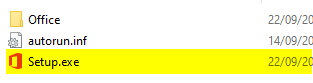
1. Select the correct version you bought below and download the ISO file. The download process should start after clicking the link. Wait for the download to finish before mounting the file. Downloading can take 10-20 minutes depending of your internet speed.