

Blog
Windows 12: Release Date, Latest News & What We Know in 2026

Published: September 29, 2026 | Updated: September 29, 2026
Last reviewed: September 2026. Microsoft can change release plans and Windows servicing guidance, so confirm current requirements before changing a production environment.
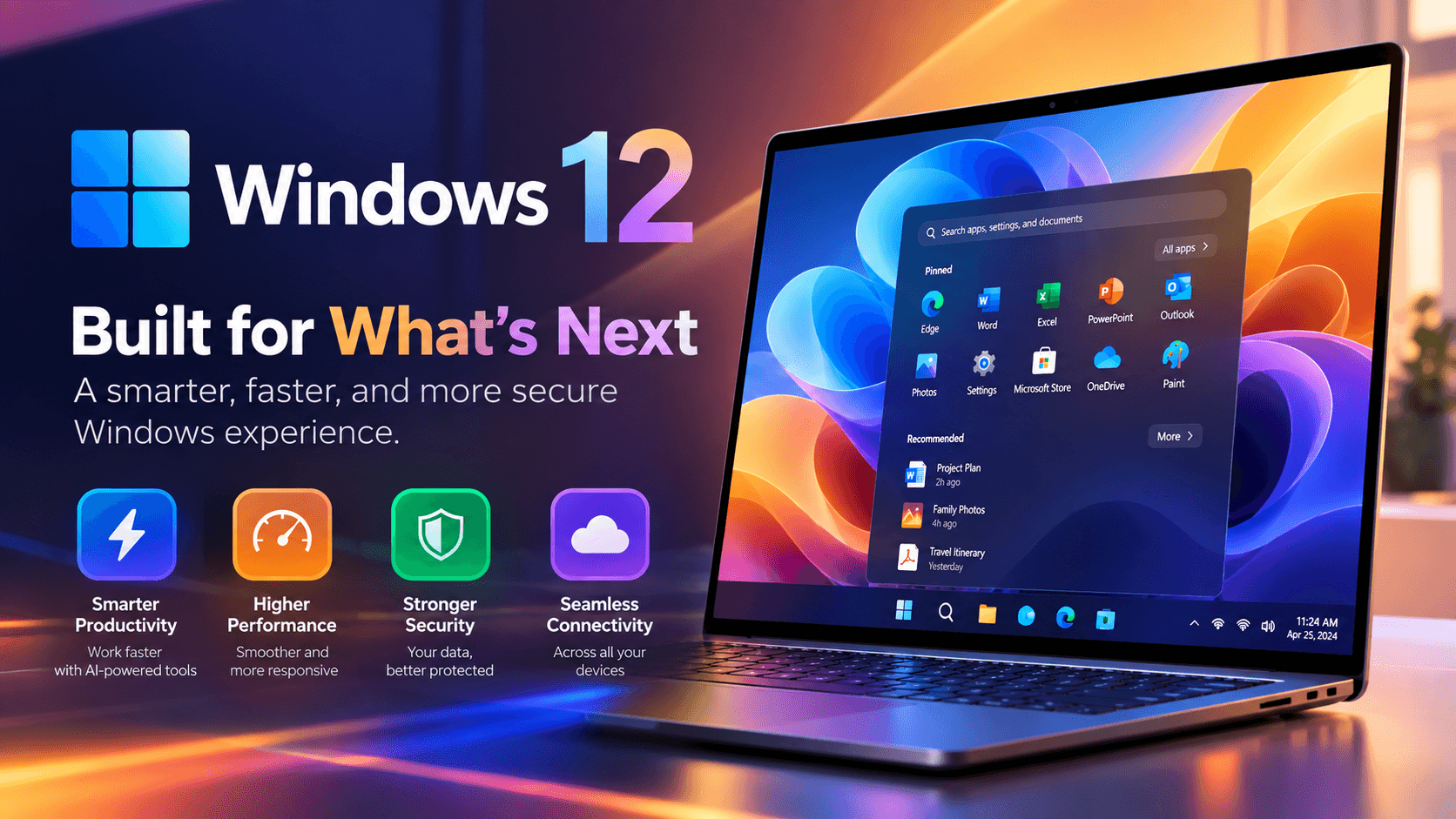
Windows 12 has not been announced. As of September 2026, Microsoft has not confirmed a Windows 12 release date, feature list, price, hardware requirements or even the name itself. The Windows version Microsoft is actively shipping, updating and supporting is still Windows 11.
That has not stopped the questions. Is Windows 12 coming in 2026? Will your current PC run it? Will it be free, or will Windows become a subscription? Should you wait for it before buying a new computer or a Windows 11 license?
Much of what circulates online is recycled rumor, and several “confirmed” launch dates have already come and gone without a new Windows appearing.
This guide separates what Microsoft has actually confirmed from what has only been reported or guessed, explains what Microsoft is shipping instead in 2026, and answers whether waiting for Windows 12 makes sense for home users, small businesses and IT admins.
Windows 12: Quick Answer
Here is the current position as of September 2026:
- Microsoft has not announced Windows 12 and has published no release date.
- There is no official Windows 12 beta, product page, requirements document or ISO download.
- Microsoft’s announced roadmap for 2026 centers on Windows 11, version 26H2, which reached the Release Preview Channel on August 27, 2026.
- Windows 11, version 26H1 ships only on select new devices with new processors and is not Windows 12.
- Credible industry reporting says Microsoft has no plan to release Windows 12 in 2026 and points to 2027 as the earliest possibility, which is an estimate rather than a commitment.
- Upgrade pricing, free-upgrade eligibility and system requirements for any future Windows are unknown.
- Windows 11 remains the supported, current platform for new PCs and upgrades.
In short, Windows 12 is a reasonable subject of speculation, but it is not a product you can plan a purchase or migration around yet.
Windows 12 at a Glance: Confirmed vs Reported vs Unknown
The simplest way to read Windows 12 news is to sort every claim into one of three buckets:
| Topic | Status as of September 2026 | What that means for you |
|---|---|---|
| Official announcement | None | Treat any “launch confirmed” headline with caution |
| Release date | Not confirmed | No date to plan around |
| Product name | Not confirmed | A future Windows may not be called Windows 12 |
| 2026 release | Reported as not planned | Do not delay urgent purchases for it |
| 2027 release | Reported as earliest possibility only | A guess, not a schedule |
| Features (AI, new UI) | Rumored | Many “Windows 12 features” already exist in Windows 11 |
| System requirements | Unknown | No published minimums exist |
| Price or free upgrade | Unknown | Past free upgrades do not guarantee future ones |
| Official download or ISO | Does not exist | Any “Windows 12 ISO” is unofficial |
| Current supported Windows | Windows 11 | The practical choice for new installs today |
What matters most for your decision is not the rumor cycle but your current hardware, your current Windows version and its support dates.
Has Microsoft Announced Windows 12?
No. Microsoft has not publicly announced a product called Windows 12, and its official Windows release documentation lists only supported Windows 11 versions.
Microsoft’s official Windows 11 release information page is the most reliable place to check which versions are current and when each one stops receiving updates. If Windows 12 were imminent, you would expect it to appear there, on the Windows Insider Blog and in partner hardware guidance long before it reached store shelves.
It is also worth remembering that Microsoft has changed naming plans before. Windows 9 never existed, and a project once known as Windows 10X was folded into what became Windows 11. The next major Windows may carry the “12” name, or it may not.
When Is the Windows 12 Release Date?
Not confirmed. Microsoft has not given a date, a year or a quarter.
Windows 12 release dates have been predicted repeatedly for several years. Each prediction passed without a launch:
| Predicted timing | What actually shipped |
|---|---|
| 2024 | Windows 11, version 24H2 |
| 2025 | Windows 11, version 25H2 |
| 2026 | Windows 11, version 26H1 (new devices only) and version 26H2 (annual update) |
| 2027 or later | Unknown; reported only as the earliest possibility |
In March 2026, a widely shared report described an AI-focused Windows 12 arriving that year. A long-time Windows reporter at Windows Central disputed it, stating that Microsoft had no plans to ship Windows 12 in 2026 and that 2027 would be the earliest a product with that name could appear. The same reporting noted that Microsoft has discussed internally whether a fresh start under a new name could make sense, which is a conversation, not a roadmap.
The honest answer is that nobody outside Microsoft knows the Windows 12 release date, and anyone quoting an exact day is guessing.
What Microsoft Is Actually Shipping in 2026
Instead of a new Windows, 2026 has brought two Windows 11 releases with very different purposes:
| Version | Who gets it | Status as of September 2026 |
|---|---|---|
| Windows 11, version 26H2 | Existing Windows 11 PCs on 24H2 or 25H2 | Release Preview since August 27, 2026; general availability expected later in 2026 |
| Windows 11, version 26H1 | Select new devices with new silicon only | Preinstalled on new hardware since early 2026 |
| Windows 11, version 25H2 | Existing Windows 11 PCs | Current broadly released version |
| Windows 11, version 24H2 | Existing Windows 11 PCs | Home and Pro reach end of servicing on October 13, 2026 |
Windows 11, Version 26H2
According to the Windows Insider Blog announcement, version 26H2 (Build 26300.9278) arrived in the Release Preview Channel on August 27, 2026, with ISO files following on August 31.
It is delivered as an enablement package (eKB), a small update that switches on features already present in the system rather than replacing the operating system. Versions 24H2, 25H2 and 26H2 share one servicing branch, so many 26H2 features will already look familiar from monthly updates.
The practical value is support. Microsoft states that moving to an annual feature update resets the support lifecycle, with 36 months for Enterprise and Education editions. It is less a new house and more a renewed lease.
Windows 11, Version 26H1
Version 26H1 is the release most often mistaken for Windows 12. Microsoft describes it as a targeted release for new devices, initially those with Qualcomm Snapdragon X2 Series processors, and it is not offered as an update to existing PCs.
Is Windows 11 Version 26H1 Actually Windows 12?
No. Microsoft names and supports it as a Windows 11 release.
Microsoft’s Windows IT Pro guidance on version 26H1 explains that it is built on a different Windows core than versions 24H2 and 25H2. Because of that, 26H1 devices cannot move to version 26H2 and will instead receive a path to “a future Windows release.”
That phrase has fueled plenty of speculation. Microsoft has not said the future release will be called Windows 12, and it has told organizations there is no need to pause device purchases or deployments because of 26H1.
What Features Might Windows 12 Have?
Nothing is confirmed. Most rumored Windows 12 features fall into a few recurring themes:
- deeper AI and Copilot integration across the desktop
- heavier use of the NPU (neural processing unit, a chip dedicated to AI tasks)
- a more modular system design
- a refreshed interface
- stronger default security
Be careful with these lists. Several rumored architectures and codenames date back to 2023 and were tied to Windows 11 planning or internal projects that never shipped.
Many “Windows 12 features” in online articles are already available in Windows 11, particularly on Copilot+ PCs, Microsoft’s category of AI-focused laptops with an NPU rated at 40+ TOPS (trillion operations per second). If a feature list reads suspiciously like your current Settings app, that is because it probably is.
Windows 12 System Requirements: What Can You Expect?
Unknown. Microsoft has published no Windows 12 requirements, so any specific list is speculation.
The best available reference is Windows 11, because any successor is unlikely to demand less. Microsoft’s official Windows 11 specifications page lists these minimums:
| Component | Windows 11 minimum |
|---|---|
| Processor | 1 GHz or faster, 2 or more cores, compatible 64-bit processor or SoC |
| Memory | 4 GB RAM |
| Storage | 64 GB or larger |
| Firmware | UEFI, Secure Boot capable |
| Security chip | TPM 2.0 (Trusted Platform Module, a hardware security component) |
| Graphics | DirectX 12 compatible with WDDM 2.0 driver |
| Display | 720p, larger than 9 inches diagonally |
These are minimum specifications, not a promise of ideal performance. For comfortable everyday use today, 16 GB of RAM and an SSD are a more realistic target, and they also leave more headroom for whatever comes next.
Some rumors claim a future Windows will require an NPU. That has not been confirmed, and it would be unusual for Microsoft to lock out the large base of recent Windows 11 PCs without a long transition.
Will Windows 12 Be a Free Upgrade?
Unknown. Microsoft has not said whether a future Windows would be free, paid or offered as a free upgrade for eligible Windows 11 PCs.
Windows 10 and Windows 11 were both offered as free upgrades to eligible devices, but that history is a pattern, not a promise.
Rumors that consumer Windows will become subscription-only have also not been confirmed. Microsoft does sell cloud PCs through Windows 365, but that is a separate business product, not a replacement for a standard Windows license.
Can You Download Windows 12 Now?
No. Microsoft has not released a Windows 12 ISO, Media Creation Tool or Installation Assistant.
IMPORTANT: Any file labeled “Windows 12 ISO” or “Windows 12 activator” is unofficial and may contain malware. Download Windows installation media only from Microsoft’s official download pages or the Windows Insider Program.
If you want an early look at upcoming Windows changes, the Windows Insider Program is the legitimate route. Use a spare PC or virtual machine rather than your main work computer, because Insider builds can be unstable.
Should You Wait for Windows 12 or Move to Windows 11 Now?
Usually not. Waiting for an unannounced product rarely makes sense when your current system needs attention today.
Move to Windows 11 now when you:
- are still running Windows 10
- need a new PC for work or study
- are on Windows 11 version 24H2 Home or Pro and need to stay on a serviced version
- manage business PCs that need predictable security updates
- need a supported system for compliance or insurance reasons
- want features such as BitLocker or Remote Desktop hosting that require a higher edition
Waiting is more reasonable when you:
- already run a supported Windows 11 version
- have no hardware or software problem to solve
- are simply curious about what comes next
For home users and students, the main question is whether your current PC is supported and secure. For freelancers and small businesses, it is whether your apps, peripherals and backups work reliably on a supported version. For IT admins, the priority is keeping devices on serviced Windows 11 versions and testing each annual update in a pilot group before wider rollout.
If You Are Still on Windows 10
Windows 10 reached end of support on October 14, 2025. A Windows 10 PC does not stop working, but it no longer receives regular security updates unless it is enrolled in Extended Security Updates (ESU).
Consumer ESU coverage runs only until October 13, 2026, so it is a bridge rather than a destination. If your PC meets the requirements below, moving to Windows 11 is the more durable fix.
Choosing a Windows 11 Edition
Quick answer: choose Home for personal use, and choose Pro if you need BitLocker, Remote Desktop hosting, Group Policy or domain join.
Windows 11 Home activates Windows 11 Home only and suits most home users and students. Windows 11 Pro activates the Pro edition and suits freelancers, small offices and anyone who needs business management features. Each key must match the edition you install.
Annual feature updates such as 26H2 do not need a new key. For a closer look at the differences, read our guide to Windows 11 Home vs Pro.
Recommended Action by Your Current Situation
Use this table to find the sensible next step for your setup:
| Your situation | Recommended action |
|---|---|
| Windows 10, hardware meets Windows 11 requirements | Back up and upgrade to Windows 11 |
| Windows 10, hardware does not meet requirements | Plan hardware replacement; use ESU only as a short bridge |
| Windows 11, version 24H2 Home or Pro | Update to 25H2 or 26H2 before October 13, 2026 |
| Windows 11, version 25H2 | Install 26H2 when it reaches general availability |
| Windows 11, version 26H1 device | Keep monthly updates installed; no action needed |
| Buying a new PC | Buy based on today’s needs; do not wait for Windows 12 |
| Managing business PCs | Pilot 26H2 on a small group, then roll out |
How to Check Your Windows Version
Knowing your exact version tells you whether you need to act now:
- Press Windows key + R.
- Type
winverand press Enter. - Read the version line, for example “Version 25H2”.
- Note the OS build number shown beside it.
You can also go to Settings → System → About and check the Windows specifications section. To update, open Settings → Windows Update and select Check for updates.
Explore More Windows Guides
These Bcdkey guides and tools answer the questions that usually follow Windows 12 news:
| Your question | Recommended Bcdkey resource |
|---|---|
| Home or Pro? | Windows 11 Home vs Pro |
| Which Windows 11 editions are available? | Windows 11 licenses |
| Licensing several PCs at once? | Windows 11 Pro 5 PC |
| Online activation failed? | Bcdkey Get Confirmation ID tool |
| Where is my purchased key? | My Account |
| Where is my order? | Track Order |
| Need help with a license? | Open a support ticket |
| Other common questions? | Bcdkey FAQs |
Buying for several PCs? Bcdkey’s B2B wholesale program is set up for business and volume buyers.
Final Thoughts
Windows 12 is not really a buying decision yet. It is a news story, and the decisions that matter today are about Windows 11.
As of September 2026, Microsoft has not announced Windows 12, and its confirmed roadmap is Windows 11 version 26H2, with Windows 11 Home and Pro version 24H2 leaving servicing on October 13, 2026.
The simplest option for most readers is to stay current on Windows 11 and install annual updates as they arrive. Readers still on Windows 10 should plan their move now rather than waiting for a product with no date.
When Microsoft does announce the next Windows, the details will appear first on official Microsoft channels, not in a download link from an unfamiliar site. Until then, a supported PC today is worth more than a rumored one tomorrow.
Run winver this week and confirm your version. When you are ready to choose an edition, compare the Windows 11 range on Bcdkey.
FAQ About Windows 12: Release Date, Latest News & What We Know in 2026
Is Windows 12 out yet?
No. As of September 2026, Microsoft has not released or announced Windows 12, and Windows 11 remains its current supported desktop operating system.
When will Windows 12 be released?
Microsoft has not confirmed a date. Industry reporting says a release is not planned for 2026 and suggests 2027 as the earliest possibility, but that is an estimate rather than an official schedule.
Will Windows 12 be free for Windows 11 users?
Unknown. Microsoft has not announced pricing or upgrade terms, and previous free upgrades from Windows 10 to Windows 11 do not guarantee the same approach in the future.
Will my Windows 11 PC run Windows 12?
Nobody can say yet, because Microsoft has published no Windows 12 requirements. A PC that meets current Windows 11 requirements is in the strongest position, but compatibility is not guaranteed.
Is there an official Windows 12 ISO download?
No. Microsoft has not released any Windows 12 installation media, so any file sold or shared as a Windows 12 ISO is unofficial and potentially unsafe.
Is Windows 11 version 26H1 the same as Windows 12?
No. Version 26H1 is a Windows 11 release built on a newer Windows core, available only preinstalled on select new devices, and Microsoft supports it as Windows 11.
Is Windows 11 version 26H2 a new operating system?
No. Version 26H2 is Windows 11’s 2026 annual feature update, delivered as a small enablement package that turns on features already present and resets the support timeline.
Do I need a new product key for Windows 11 version 26H2?
No. Annual feature updates such as 26H2 install on an already activated Windows 11 PC without a new key, as long as the edition stays the same.
Should I wait for Windows 12 before buying a new PC?
Normally, no. Buy based on what you need today, and choose hardware that comfortably exceeds Windows 11 requirements to give yourself headroom for future updates.
Will Windows 12 require an NPU or a Copilot+ PC?
Unknown. Some rumors claim an NPU requirement, but Microsoft has not confirmed any Windows 12 hardware requirements.